VPN Secure Connection
Overview
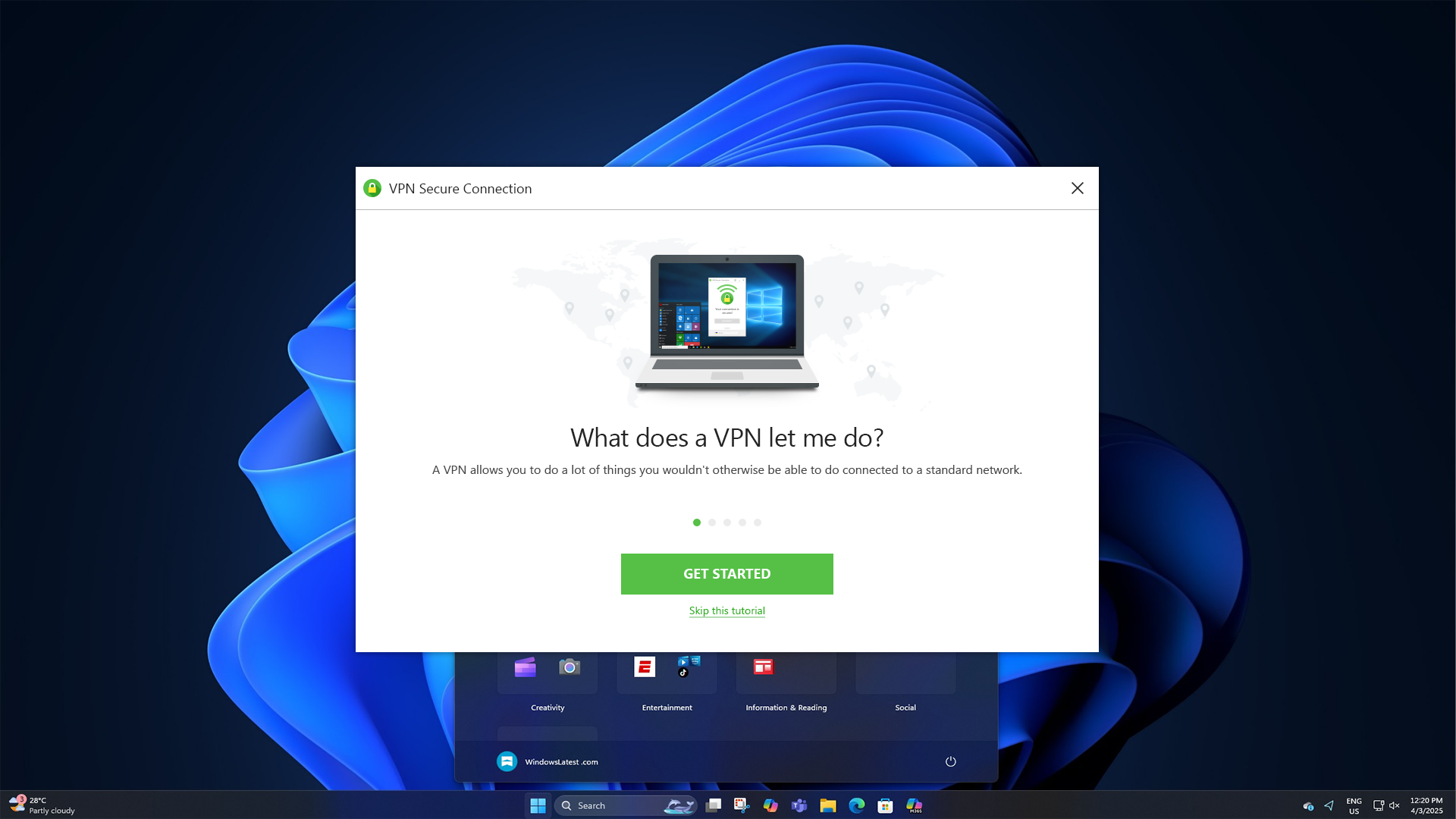
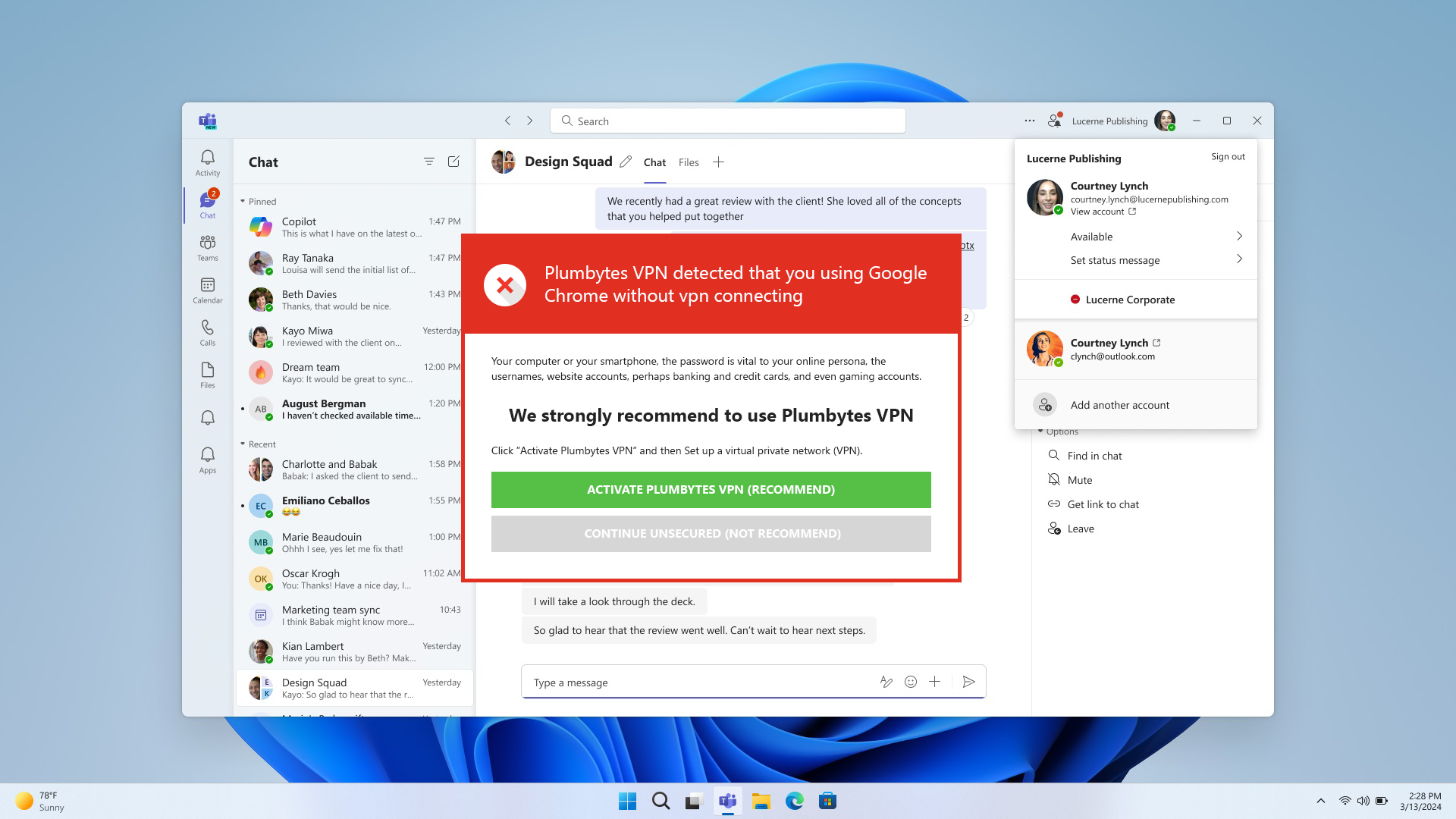
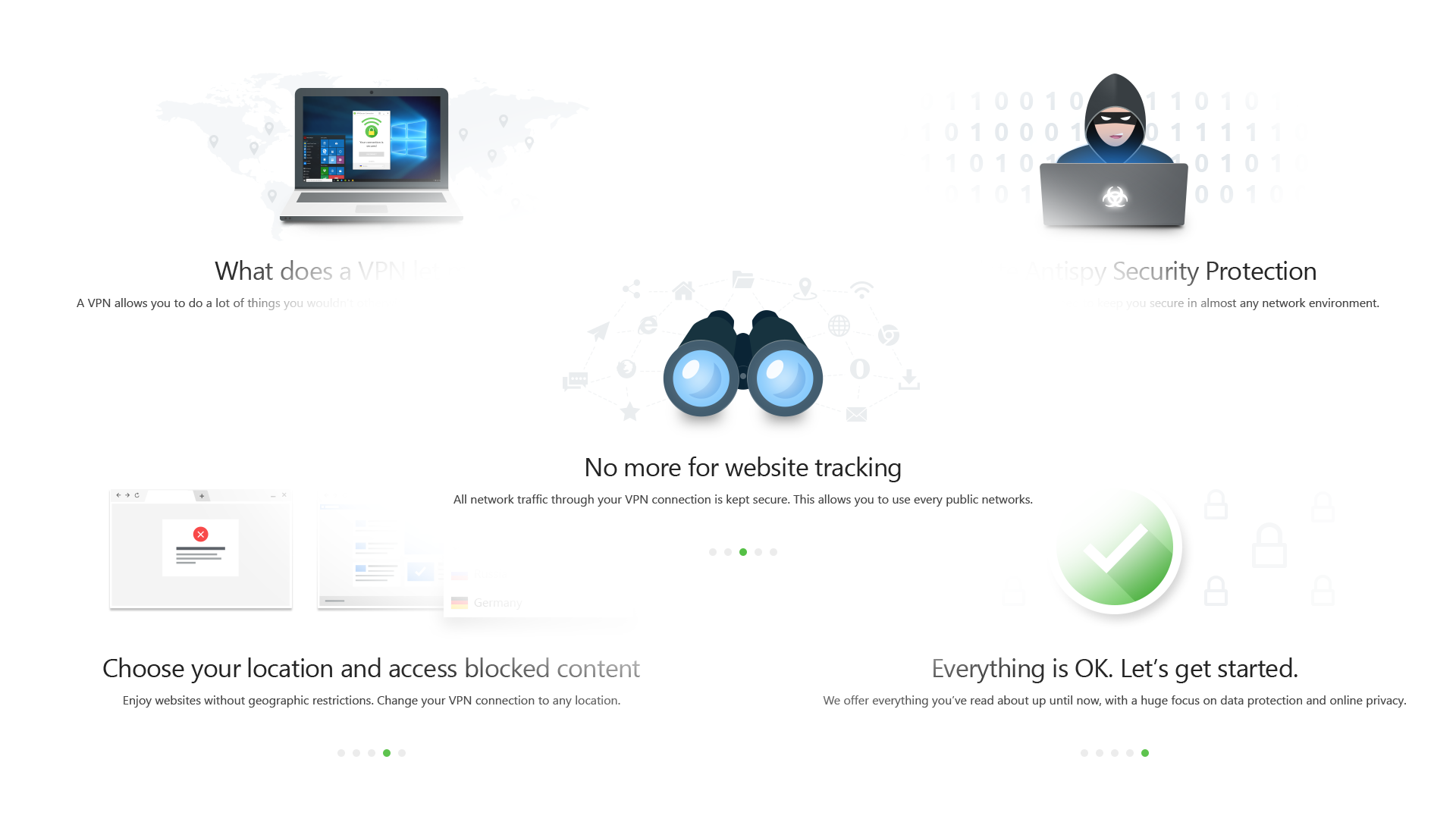
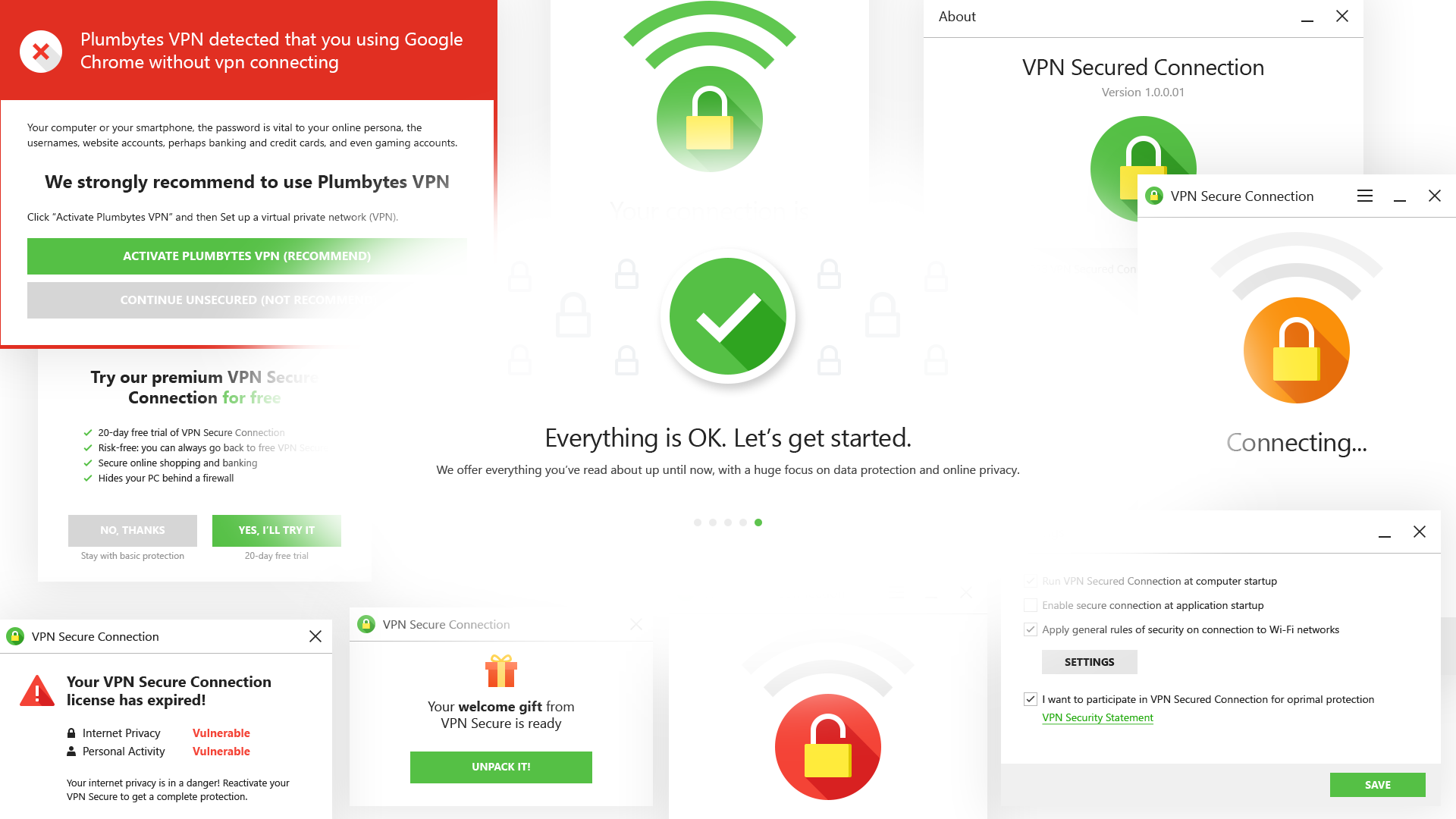
The application guides users through feature education via multi-step onboarding, manages VPN connections with location selection, displays real-time security status and alerts, and provides comprehensive settings for customizing protection preferences. The design system communicates complex privacy and security concepts through intuitive visual language, manages license and subscription states, and implements effective warning systems that prompt user action while maintaining trust and clarity.
Challenge
The primary challenge was designing an intuitive VPN application that explains complex security and privacy concepts to non-technical users while creating effective warning systems that motivate action. The design needed to implement comprehensive onboarding education, manage license and subscription flows, display distinct security states, enable location selection, and provide accessible settings interfaces.
Solution
I developed a comprehensive VPN application UI featuring an interactive five-screen onboarding carousel educating users on VPN benefits. Designed modal-based alerts for critical states including license expiration, free trials, browser detection, and activity monitoring. Created location selection interface with country flags, animated connection status screen with lock icon, and comprehensive settings panel. Implemented consistent warning visual language using red and green color coding for security states, with complete design specifications for all interactive states and responsive layouts.